What players say
Vivi Fashion Design Studio offers a safe, creative space for children to explore fashion. The free customization options are extensive, from hairstyles to accessories. The simple touch controls make it easy for young players. The ability to save designs as avatars adds lasting value. A wonderful tool for encouraging artistic expression.
About this game
Game Introduction
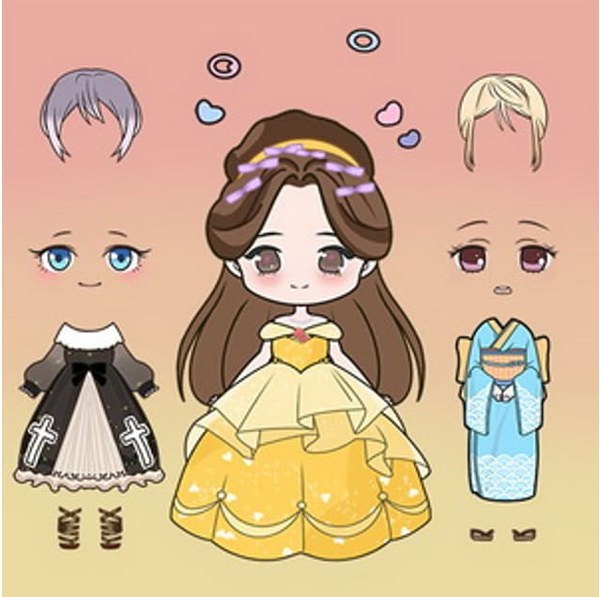
Vivi Fashion Design Studio is a creative fashion game where players design a doll's appearance from scratch. The core objective is to express personal style by selecting clothing, hairstyles, and accessories. What makes this game unique is its focus on free customization without any cost, allowing unlimited experimentation. The colorful and detailed graphics make each creation feel special. Once finished, players can save their design as an avatar image. This game is designed for players of all ages who enjoy dressing up and character design.
How to Play
Playing Vivi Fashion Design Studio is simple. Players start with a blank doll and can tap or click on different parts of the doll, such as the face, hair, or body. Each tap opens a menu with options for that area. For example, tapping the face allows changing facial expressions, while tapping the hair offers choices for style and color. The body menu provides clothing and accessory options. Players can mix and match freely until they are satisfied. When the look is complete, clicking the camera icon saves a photo. There are no timers, scores, or complex rules.
Game Features
All clothing items, hairstyles, and accessories are available at no cost. The graphics are delicate and vibrant, enhancing the visual experience. Players can customize facial expressions, adjust hair length and color, and choose from many outfits. The controls are simple and responsive, making the game easy to navigate. Players can save their final design as an image for use as an avatar. The game works on both desktop and mobile devices, offering flexibility in how and where to play.
Tips for Success
To get the most out of Vivi Fashion Design Studio, take your time exploring all available options. Try combining different hairstyles, outfits, and accessories to discover unique looks. Experiment with various facial expressions to match the mood of your design. Since there are no penalties, feel free to try bold combinations. Saving your creations as photos allows you to build a portfolio of styles. The game encourages creativity, so let your imagination guide you.