What players say
Circus Princess Fashion Studio offers a charming and safe environment for creative play. The detailed artwork and wide variety of clothing and accessories allow for countless unique outfits. The lack of time limits or costs makes it perfect for relaxed, imaginative fun. It is an excellent choice for young fashion enthusiasts.
About this game
Game Introduction
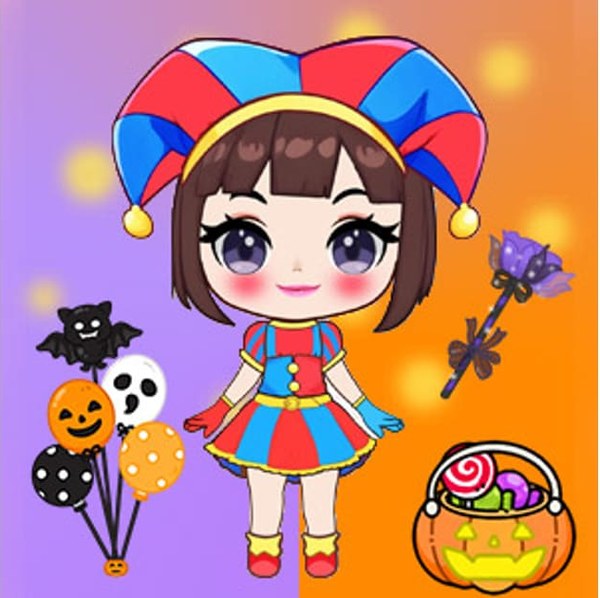
Circus Princess Fashion Studio is a creative style game where players design outfits for a character inspired by a playful circus theme. The main goal is to express personal taste by combining different clothing pieces and accessories. This game stands out because it offers a calm, stress-free space for creativity. There are no timers or scores, so players can experiment as long as they like. The bright and detailed artwork makes every creation feel special. This game is ideal for children and anyone who enjoys relaxed, imaginative fashion play. It encourages self-expression without any pressure.
How to Play
To start, players choose a skin tone for their character from several options. Then they explore categories like tops, bottoms, shoes, hats, and jewelry. By clicking or tapping, items are added to the character and the look updates instantly. Players can try many combinations until they are satisfied. After finishing the outfit, a background can be selected. Finally, a screenshot can be taken to save the design. The controls are simple and easy to use, making the game accessible for all ages.
Game Features
This game includes many features common to dress up games. There is a large selection of clothing and accessory categories. Players can choose from different skin tones and backgrounds to personalize their character. All items are free, allowing unlimited experimentation. A random button provides quick outfit ideas for inspiration. The game offers a safe, ad-free environment suitable for children. The artwork is detailed and colorful, enhancing the overall experience. The game is designed to be casual and fun, promoting creativity and relaxation.
Tips for Success
To get the most enjoyment, start by browsing all categories to see the full range of options. Try mixing unexpected colors and styles to find unique combinations. Use the random button when you need a fresh idea. Take your time to experiment with different accessories and hairstyles. Since everything is free, there is no risk in trying new looks. Save screenshots of your favorite designs to create a personal gallery. Most importantly, enjoy the process of creative expression without any pressure.