Play
Baby Candy Dress Up Game
Showtime

Baby Candy Dress Up Game

Beauty Candy Dress Up
Developer: Tiny Pixel Works
Published: 2024-08-07
Updated: 2026-06-07

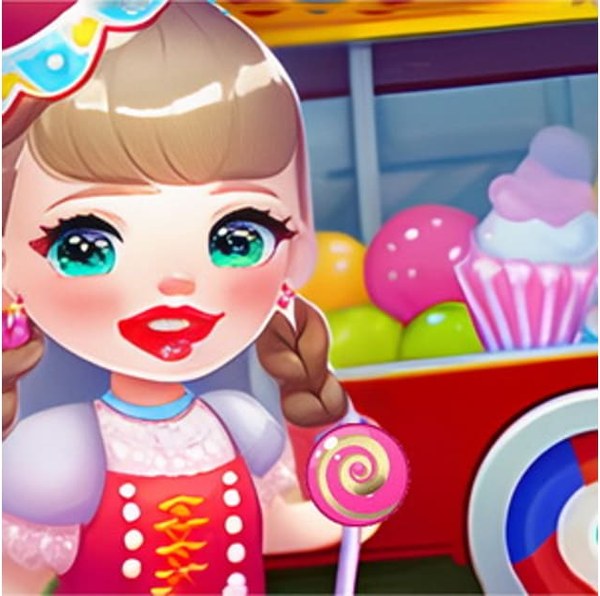
Baby Selling Candy Day Dress Up Game offers a delightful mix of fashion and decoration. Kids can dress the baby in many outfits and then personalize the candy cart. The controls are simple, and the graphics are bright and appealing. It encourages creativity and planning as children decide which items work best together. The game has good replay value because there are many combinations to try. It is a wholesome choice for parents seeking safe, educational play.

Plays in your browser — no install.

About this game

Game Introduction

Baby Candy Dress Up Game is a creative and playful dress-up experience designed for children. In this game, young players take on the role of a stylist for a baby who sells candy. The core objective is to dress the baby in a variety of outfits and accessories, and then decorate a candy cart to make it attractive to customers. What makes this game unique is its combination of fashion design and cart customization, all within a safe, ad-free environment. It sparks imagination and encourages self-expression through color and style choices, making it a delightful activity for kids who enjoy pretend play and fashion.

How to Play

To play, children start by selecting a baby character. They then dress the baby by choosing from a range of clothing items, shoes, hats, and accessories. Players can mix and match different pieces to create unique looks. After dressing the baby, they move to the candy cart customization screen. Here, they can change the cart's color, add stickers, and place decorations to make it stand out. The goal is to build a stylish setup that attracts more customers. Simple tap or click controls make it easy for kids to play independently, and they can save their creations or start over anytime to try new styles.

Game Features

Key features include a wide variety of dress-up items such as dresses, bows, glasses, and hairstyles. The candy cart offers many decoration options like balloons, signs, and color changes. The interface is bright, child-friendly, and free from ads or inappropriate content. Players can save their favorite looks and return to them later. The game is designed for casual play on both desktop and mobile devices, thanks to its HTML5 and 2D graphics. It supports online play and is unblocked, making it accessible for use in schools or other filtered environments.

Tips for Success

To create the most appealing looks, try experimenting with different color combinations and accessory pairings. Mixing patterns and textures can make outfits more interesting. For the candy cart, use bright colors and fun decorations to catch the eye of virtual customers. Don't be afraid to start over and try new ideas—creativity is the key. Playing regularly helps children develop a sense of style and coordination. Most importantly, have fun and let imagination guide the design process.

Compatibility

• OS: Windows 10+, macOS 11+, iOS 14+, Android 10+
• Browsers: Chrome 100+, Safari 15+, Edge 100+, Firefox 100+
• Not compatible with Internet Explorer
Tested on real devices ✅ works as expected
FAQ
Is this game suitable for very young children?
Yes, the game is designed for young players, typically ages 3 to 8. Its simple tap controls, bright visuals, and lack of complex rules make it accessible for toddlers and preschoolers with minimal adult supervision.
Can I play this game on a tablet or smartphone?
Yes, since the game uses HTML5 technology and is available online, it works on most modern tablets and smartphones with a web browser. Touch controls are supported, making it easy to play on mobile devices.
Does the game require an internet connection?
Yes, as an online game, it requires an active internet connection to load and play. However, once loaded, it may run smoothly without constant data usage, depending on the game's design.
Are there any in-app purchases or hidden costs?
No, the game is free to play with no in-app purchases or hidden costs. All dress-up items and decoration options are available from the start, providing a complete experience without any financial commitment.
How can I save my child's creations?
The game typically allows players to save their dressed-up baby and decorated cart as screenshots or within the game's save feature. Check the game interface for a save button or icon to preserve your child's favorite designs.
Is the game available in multiple languages?
The game is primarily designed with visual icons and simple controls, so language barriers are minimal. However, it may only be available in English. The intuitive interface allows children to play regardless of their native language.
Advertisement

Popular Similar Games