Shooting Segments to Stop a Dragon
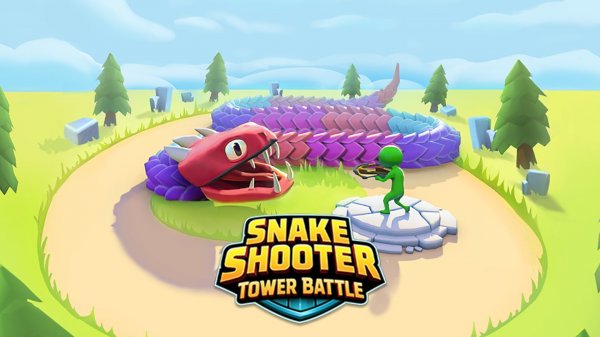
In Dragon Archer: Tower Defense, you control an archer defending a tower from a dragon that moves closer over time. The dragon is not a single target; its body is divided into segments, and each segment displays a durability number. Your job is to shoot a segment enough times to reduce that number to zero, which breaks the segment apart. The core decision is which segment to hit first. Segments closer to the tower are more urgent because breaking them directly slows the dragon's advance. Weaker segments with lower durability numbers can be removed quickly, shortening the dragon's overall length. Aiming is done with the mouse or keyboard, and every shot must be placed carefully because the dragon keeps moving.
Upgrades That Change How You Shoot
Points earned during play unlock and equip upgrades for your bow and arrows. Double Arrows add extra damage per shot. Critical Hits deliver powerful strikes. Explosive Arrows create high-damage blasts. Attack Speed Boost increases how fast you fire. Piercing Arrows let a single shot hit multiple segments at once. These options are not just stat boosts; they change your approach. Piercing helps when segments line up, Explosive Arrows suit clustered targets, and Attack Speed becomes more valuable as the dragon accelerates. Choosing upgrades that match your aiming style is part of the strategy.
Rising Pressure and Family-Friendly Action
Each session makes the dragon faster and stronger, so a strategy that worked early may fail later. You must balance speed with accuracy: rushing shots wastes arrows, but hesitating lets the dragon advance. The game is designed for family-friendly fun with no graphic violence or mature content. Its simple controls make it easy for new players to pick up, while the segmented durability system and upgrade choices add depth for experienced players who enjoy fast-paced, skill-based challenges.
✅ Compatibility & Testing
• Desktop (Windows 11, macOS Ventura)
• Mobile (iPhone 14, Samsung Galaxy S23)
• Tablet (iPad Pro, Android tablet)
✅Supported browsers: Chrome, Safari, Edge, Firefox (latest versions)
❌ Not supported: Internet Explorer, older browser versions
 BabyDrift Games









Editorial Notes